
Use it from anywhere.
With Tailscale, your iPhone reaches your Mac from any network: the office, a café, a hotel, the road. At home it works over your Wi-Fi.
Connected to your Mac · encrypted · over Tailscale
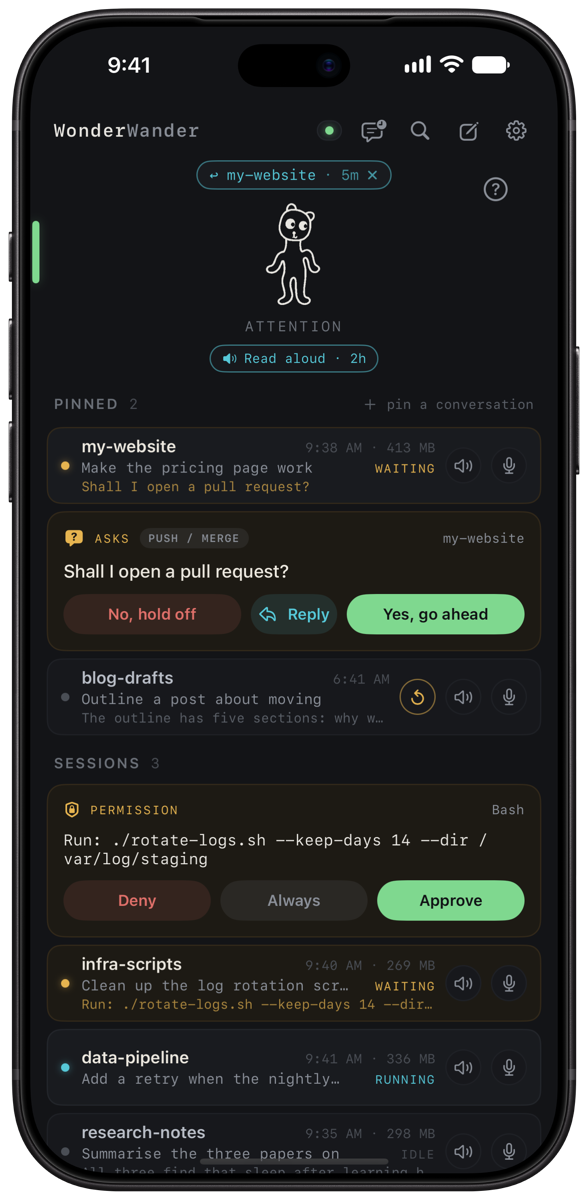
Your sessions keep working on your Mac. WonderWander tells you when one is done or needs you, reads you what it found, and lets you answer by voice, from anywhere.
With Tailscale, your iPhone reaches your Mac from any network: the office, a café, a hotel, the road. At home it works over your Wi-Fi.
Put a pinned conversation to sleep when you're done, and resume it from your phone right where it left off. Session stuck? Restart it from its card, once you've allowed that on your Mac.
Each session tells you when it's done or needs a decision. Approve a command, deny it, or answer a question from the Lock Screen or your Apple Watch, then get back to what you were doing.
Music dips and podcasts pause for an announcement, then carry on. Hear as much or as little as you like: whole replies, just the questions, or nothing. Mute any session.
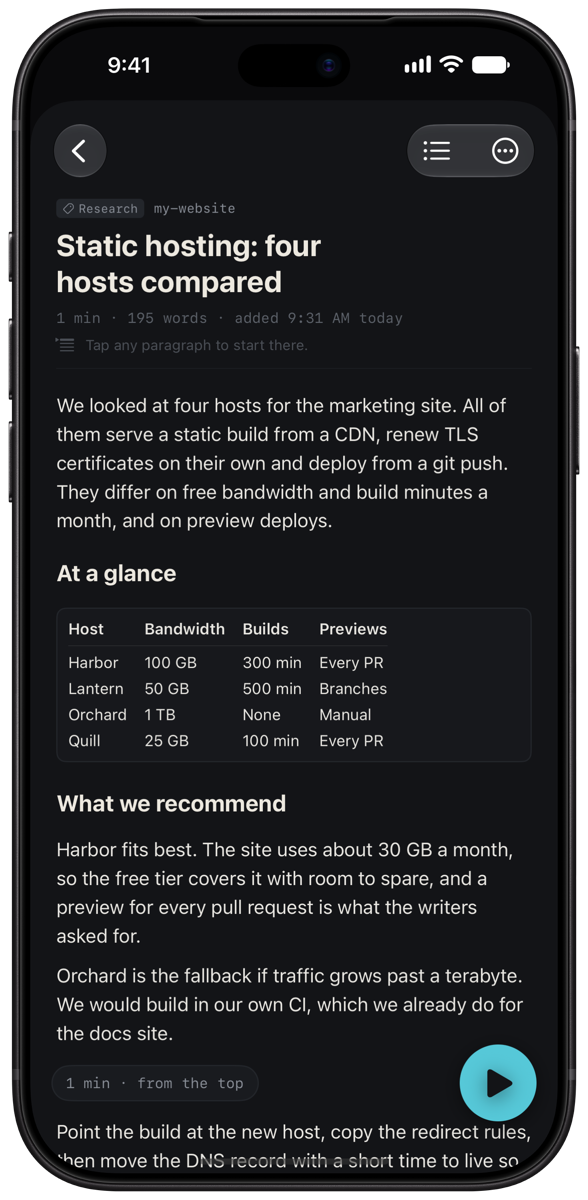
Send longer reports and outputs to your Dossier, from any session or your Mac's Share menu, and listen on the road. In CarPlay the skip buttons move a paragraph at a time, and it picks up where you stopped.
Hold to talk in the app, or use the Action button or a Lock Screen control. Speech becomes text on the phone, and only the text goes to your Mac.
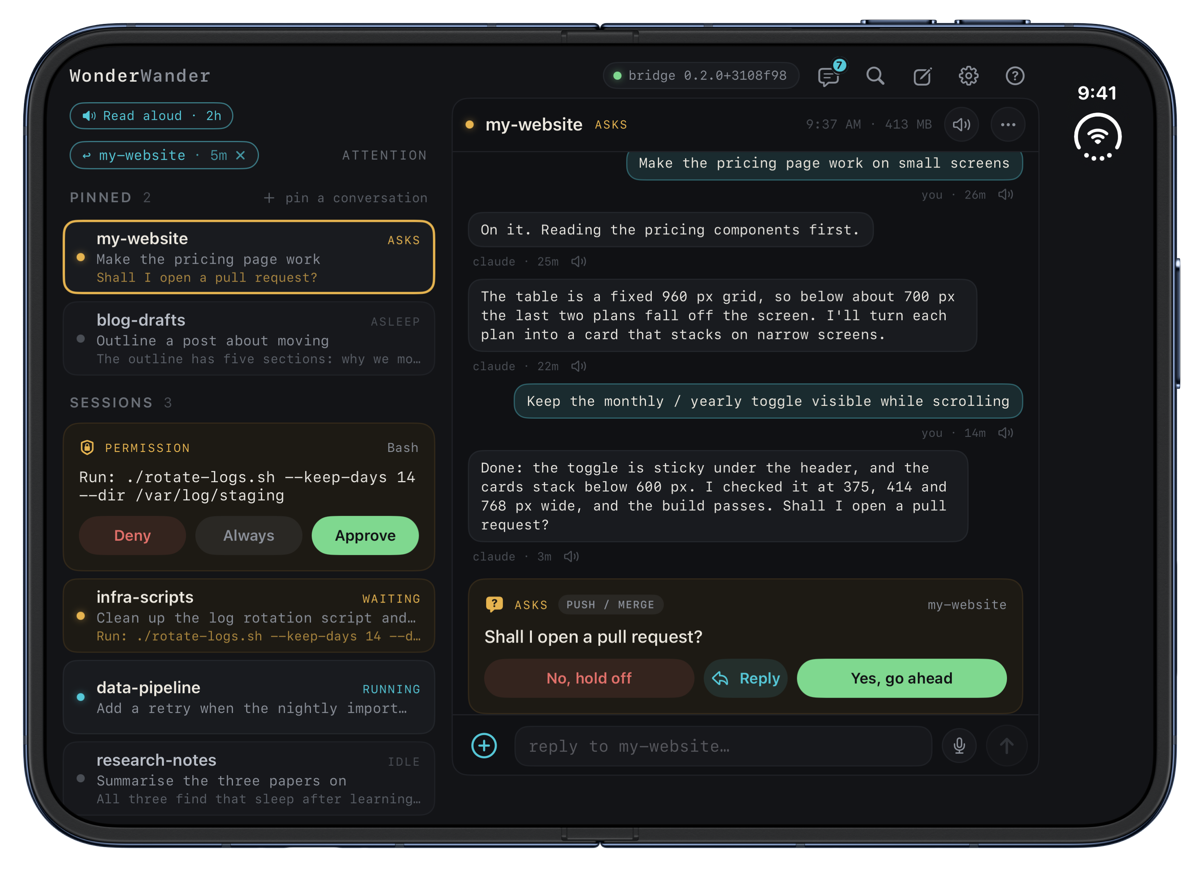
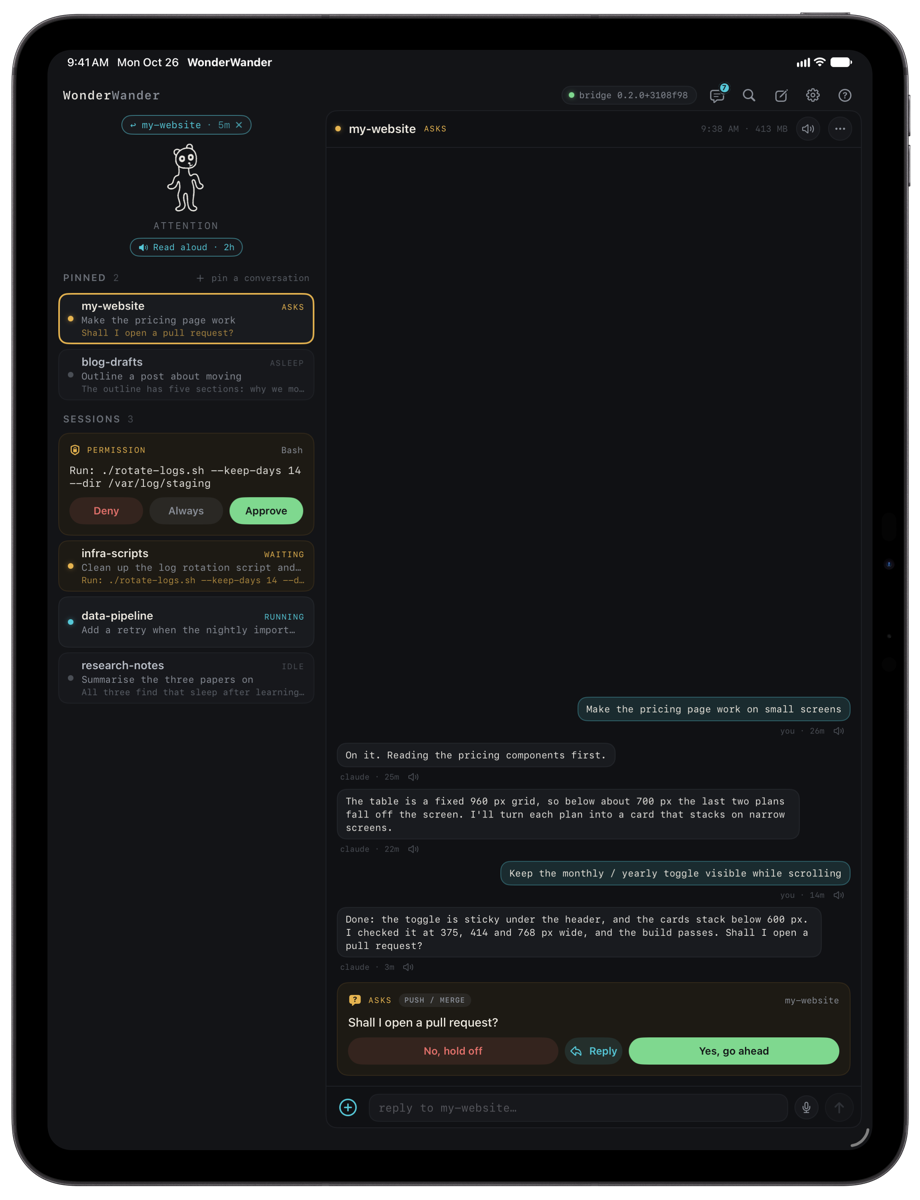
On iPad and the open iPhone Duo, the conversation or the Dossier opens beside your session list.
It sets up the bridge and Claude Code's hooks for you. No Homebrew, Node or terminal commands needed.
Scan the QR code your Mac shows. The connection is encrypted and tied to your Mac's own certificate.
Use Claude Code as you always do. Your phone tells you when a session needs you, and reads you what it found.
The menu-bar app and the bridge. Sets up Claude Code's hooks and pairs your phone.
Download for MacApprovals, replies, voice and the Dossier, with an Apple Watch app for answering from your wrist. Pairs with the Mac app in one scan.
Get it on the App Store Free · iOS or iPadOS 27 or later · Apple Watch app included, watchOS 27 · HelpPaste these instructions into Claude Code on your Mac, in a terminal or the desktop app. It checks your Mac, installs WonderWander with your OK, and asks about the parts that depend on you: Tailscale, containers, a second Claude account, and where you run Claude Code.
# Set up WonderWander with me

You are helping me set up WonderWander on this Mac. WonderWander connects my Claude Code sessions to my iPhone: approvals on the Lock Screen, replies read aloud, and talking back by voice. It has two parts: **WonderWander for Mac** (a menu-bar app with a small bridge) and the **WonderWander iPhone app**.

How to work with me:
- Ask me the questions below **one at a time**, and only do the parts that apply to my answers.
- Tell me what you're about to change and wait for my OK before you install, move or edit anything.
- Never ask me for a password, token or key, and never print one. WonderWander's tokens stay in files that Docker or the app reads.
- If a step needs a click in an app window, tell me exactly what to click, then check the result yourself.
- Product page: https://unchartedarts.com/wonderwander · Help: https://unchartedarts.com/wonderwander/support

## 1. Check this Mac

- macOS 14 or later: `sw_vers -productVersion`.
- Is WonderWander already installed? Look for `/Applications/WonderWander.app` and read its version: `defaults read /Applications/WonderWander.app/Contents/Info.plist CFBundleShortVersionString`. If it's installed, skip to step 3.

## 2. Install WonderWander for Mac

With my OK:
1. Download it: `curl -fL -o ~/Downloads/WonderWander.dmg https://unchartedarts.com/wonderwander/download`
2. Check it's the genuine, notarized app before opening it: `spctl -a -t open --context context:primary-signature -v ~/Downloads/WonderWander.dmg` must say `accepted`, `source=Notarized Developer ID` and `origin=Developer ID Application: Jonathan Pollack (MQ73EEKQKX)`. If it doesn't, stop and tell me.
3. Open the disk image (`open ~/Downloads/WonderWander.dmg`) and ask me to drag WonderWander to Applications, or copy it there yourself with `ditto` if I say so. Then open `/Applications/WonderWander.app`. A lion appears in the menu bar.

## 3. Ask me these questions

1. **Where do you run Claude Code?** More than one can apply:
   - in a terminal on this Mac;
   - in the Claude desktop app's Code tab on this Mac;
   - in a Docker or dev container on this Mac;
   - as a second Claude account on this Mac (its own `CLAUDE_CONFIG_DIR`);
   - on the web (claude.ai/code), or on another computer.
2. **Do you use Tailscale, or want to?** It lets the phone reach this Mac away from home.
3. **Do you have the WonderWander iPhone app** on an iPhone or iPad with iOS 27?

## 4. Turn it on

Ask me to choose **Set Up WonderWander…** from the lion in the menu bar, then:
- **Background service:** Turn On (System Settings may ask to allow it under Login Items).
- **Claude Code hooks:** Add Hooks…. It shows what it will change in `~/.claude/settings.json`, keeps a backup and leaves other hooks alone.
- Leave **Claude Code integration** ticked: sessions can then add documents to my Dossier.

Then check it with the app's read-only self-test:
`/Applications/WonderWander.app/Contents/MacOS/WonderWanderMenu --setup-check`

## 5. Only the parts that apply

**Terminal or the desktop app's Code tab:** nothing more. Both read the same `~/.claude/settings.json`. Claude Code sessions that were already running pick up the hooks when they restart. Talking to a desktop-app session from the phone needs WonderWander 0.3.2 or later.

**A Docker or dev container on this Mac:** in WonderWander's Settings, under **Environments**, choose **Add a Container…**. It makes the container a token file and shows two steps: pass that file to the container (`docker run --env-file …`, compose or a dev container), and run one `curl … | sh` line inside it. Help me add both to my container setup. **Never mount `~/.wonderwander`, or my whole home folder, into the container:** the bridge's socket and keys there would give the container full control of WonderWander. The phone can't resume, restart or sleep a container's sessions.

**A second Claude account on this Mac:** with my OK, add it as an environment, then install its hooks, using the app's bundled bridge (substitute the account's real config dir; `work` and `Work` are a name and label):
```sh
W=/Applications/WonderWander.app/Contents
"$W/Helpers/node" "$W/Resources/bridge/dist/cli.js" env add work Work --config-dir ~/.claude-work
"$W/Helpers/node" "$W/Resources/bridge/dist/cli.js" install-hooks --env work
```

**Claude Code on the web (claude.ai/code):** not supported. Those sessions run on Anthropic's servers, not on this Mac, so the bridge can't see them. Tell me that plainly.

**Claude Code on another computer:** not supported yet. If it's another Mac, WonderWander for Mac can be set up there instead, and the phone paired with that Mac.

**Tailscale:**
- If I want it: Tailscale must be on this Mac and on the phone, signed in to the same tailnet. Check this Mac with `tailscale status`, or `/Applications/Tailscale.app/Contents/MacOS/Tailscale status` if the command isn't on the PATH.
- If my tailnet has access rules (ACLs), they must let the phone reach this Mac on **TCP 17801**. Show me the rule to add if it's missing; don't change my tailnet yourself.
- In the iPhone app, turn on **Settings › Connection › Tailscale when away**.
- Optionally, WonderWander for Mac's Settings › Connection › **Tailscale only** accepts phones over the tailnet alone. The phone then needs Tailscale on at home too.

If I don't want it: the phone and this Mac need to be on the same Wi-Fi network.

## 6. Pair the phone

Ask me to choose **Pair a Device…** from the lion menu, then scan the code it shows with the WonderWander iPhone app. My Claude Code sessions should appear on the phone.

## 7. Finish

Run `--setup-check` again. Its last line should say **Everything works**. If it doesn't, tell me which check failed and what it says to do, and point me to https://unchartedarts.com/wonderwander/support. Finally, list what you set up and what you left out, and why.